Open source · CAPS 0.1.0 · BSD 3-Clause
Polymers and materials, from a SMILES string to a methods section.
CAPS builds molecules, chains, crystals, surfaces and composites; types them with the force field you choose; relaxes, runs and crosslinks them; coarse-grains them; prepares DFT surface studies; and writes every step down so the result can be reproduced and cited.
How a project flows
Six stages, left to right. Each opens a module with its own step-by-step guide.
Three ways in, one core
The Studio, the command line and Python call the same C++ core, so a step clicked in the Studio can be repeated in a script.
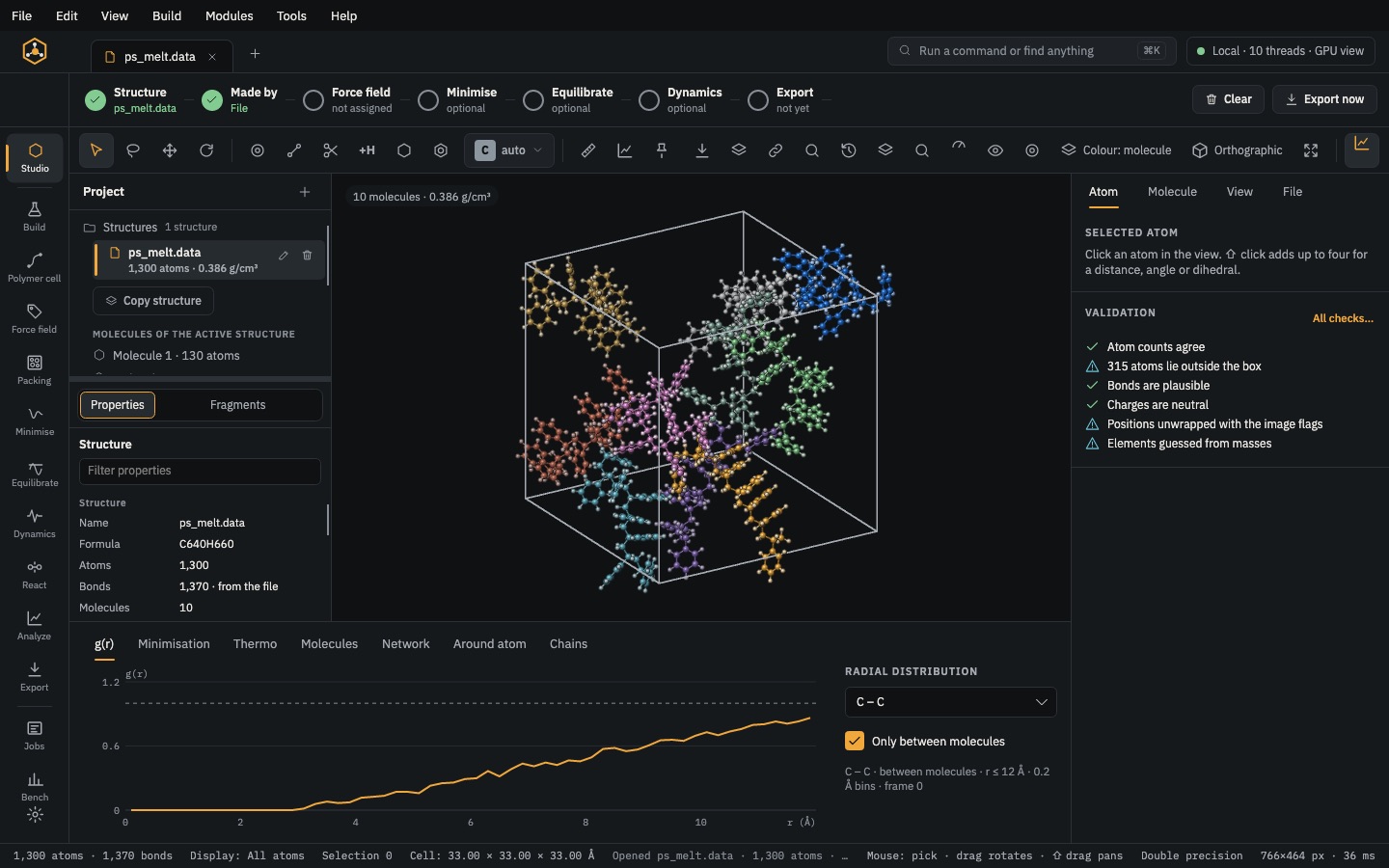
CAPS Studio
The desktop app: build, look, run and analyse with live views. Every module is explained step by step.
Module guides →Command line
caps grow, caps relax, caps react … one command per task, for scripts and clusters.
Python
import caps: open and build structures, assign force fields, run, crosslink, analyse and export.
# grow 4 polystyrene chains, relax, run and analyse
$ caps grow -o ps.data --chains 4 --dp 10 --density 0.5 --units '*CC(*)c1ccccc1' --seed 1
$ caps relax ps.data -o ps_min.data --quiet
$ caps md ps_min.data -o ps_md.data --steps 2000 --barostat berendsen --dump ps.lammpstrj --every 200
$ caps analyze ps.lammpstrj --topology ps_md.data --props density,rg
# the cell as a 2x2x2 supercell for LAMMPS and GROMACS with OPLS-AA
$ caps ff type ps_md.data --ff oplsaa2024 -o types.txt
$ caps ff apply ps_md.data --ff oplsaa2024 --types types.txt --supercell 2,2,2 -o ps.data --lammps-input ps.in --gromacs ps
wrote ps.top, ps.gro and ps.mdp
Download
Each button downloads the installer. The release page also has the Windows portable zip, the Linux AppImage and tarball, and SHA256SUMS.txt to check the files. CAPS is free and open source.
CAPS-0.1.0-macos-arm64.dmg
WindowsWindows 10/11, x64. Installer or portable zip.CAPS-0.1.0-windows-x64-setup.exe
LinuxUbuntu/Debian package, AppImage or tarball.caps-studio_0.1.0_amd64.deb
| System | Install | The caps command |
|---|---|---|
| macOS (Apple silicon) | Open the .dmg and drag CAPS Studio to Applications | /Applications/CAPS Studio.app/Contents/MacOS/caps; link it onto your PATH (below) |
| Windows 10/11 (x64) | Run the -setup.exe, or unpack the portable .zip | caps.exe in the install folder; tick Add the caps command line to PATH in the installer |
| Ubuntu / Debian | sudo apt install ./caps-studio_0.1.0_amd64.deb | /usr/bin/caps |
| Any Linux (Arch, Fedora …) | The .AppImage (needs FUSE 2), or the .tar.gz | the tarball's caps, or ./CAPS-…AppImage --appimage-extract and squashfs-root/usr/bin/caps |
# macOS: put caps on your PATH
sudo ln -sf "/Applications/CAPS Studio.app/Contents/MacOS/caps" /usr/local/bin/caps
caps            # the usage: every command on one screen
The force-field library, typing rules, samples and presets ship with the program and are found beside it; set
CAPS_HOME only to use a different copy. The Python package is in the program's data/python
folder (see Python setup).
Documentation
Guides for the Studio, the command line and Python, plus the theory behind every method.
import caps: open and build structures, assign force fields, run, crosslink, analyse and write pipeline steps.
Typical routes
Most projects follow one of these chains; each link is a module in the Studio, a command, or a Python call.
Amorphous polymer
Crosslinked network
Coarse-grained model
DFT surface study
Reproducible study